Dead Spots Behind the Stone: Mapping Your Cottage Wi-Fi Before You Buy Another Gadget
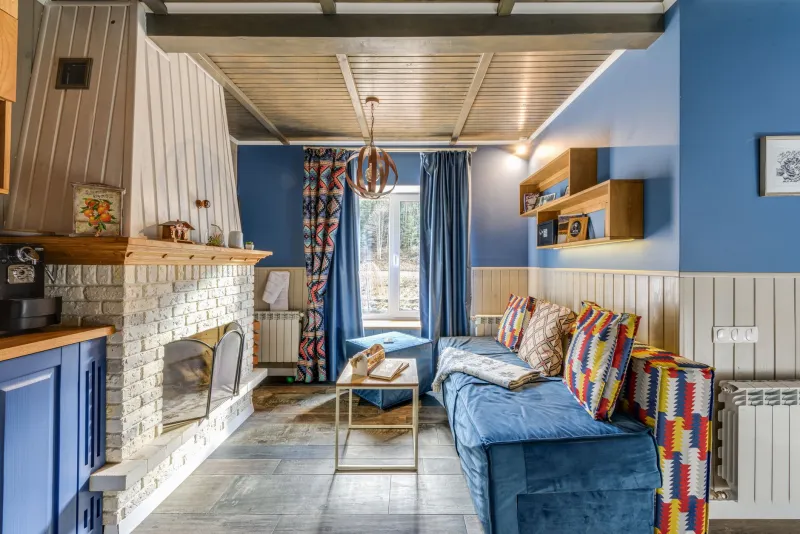
There's a certain irony to living in a house built to keep the weather out for three hundred years, only to discover it also keeps out your broadband. Anyone in a stone cottage around Pembroke, Lamphey or Angle will recognise the ritual: the router sits in the front room, the signal dies somewhere near the pantry, and the back bedroom becomes a phone-holding-up-to-the-window zone.
The good news is that most of these houses can be fixed without drilling through two feet of masonry. The less good news is that the fix is rarely the first one people try, which is buying a box with an aerial on it and hoping.
Start by Drawing the Dead Zones, Not Buying Boxes
Before spending anything, spend an evening walking the house with your phone. Load a speed test in each room, run it three times, and write the numbers down. Then do the same test at about 8pm when the house is full of people and again mid-morning when it's empty. Those two sets of numbers will tell you more than any product description ever will.
The key thing to watch for is whether you're connected to the 2.4GHz band or the 5GHz one. Many routers use the same network name for both and quietly move you between them. If a room works fine on 2.4GHz but collapses on 5GHz, that's not a broken router — that's physics, and you can work with it.
Also note where the signal drops. In old houses it's often not the middle of the room but the doorway, the chimney breast, or the spot where someone has hung a mirror. A small notebook with a rough floor plan and a few crosses on it is genuinely the most useful diagnostic tool you own.
What Stone Is Actually Doing to Your Signal
Wi-Fi is radio, and radio doesn't love density. A modern stud wall with plasterboard barely notices a 5GHz signal. Eighteen inches of rubble-filled stone, finished with lime plaster on both sides, is a different proposition entirely — it can knock a huge chunk off the signal before it's even crossed the hall.
Kitchens and utility rooms are usually the worst offenders, and not only because of the walls. Foil-backed insulation boards, metal mesh behind render, water tanks, fridges, and the humble microwave all do their bit. If your router sits on a shelf next to a radiator, or inside a wooden TV cabinet along with a games console, you've given it a handicap before you've started.
The Free Changes Worth Trying First
Get it up and out in the open. Routers like height and air. On top of a bookcase in the hall, rather than on the floor behind the sofa, can add a surprising amount of range. Aerials should generally point upwards, not at the wall.
Untangle the two bands. Give 2.4GHz and 5GHz separate names in the router settings. Then put phones and laptops on 5GHz near the router, and leave 2.4GHz for the printer, smart plugs, doorbell and anything sitting at the far end of the house. 2.4GHz is slower but it pushes through stone far better.
Sort your channels. In a village, everyone's router is shouting on the same channel. A free analyser app will show you which of 1, 6 and 11 is quietest on 2.4GHz. On 5GHz, try a lower channel before reaching for the highest one.
Check the boring stuff. Firmware updates, a proper reboot rather than a standby, and a look through the router's settings for any 'eco' or power-saving mode that dims the Wi-Fi when it thinks nobody's using it.
Mesh Kits: Great, With One Big Caveat
Mesh systems are the default recommendation these days, and for a modern semi they're excellent. In a cottage, the catch is the backhaul — the link between the nodes. If you put the second node in the cold back bedroom where the signal is already dead, it has nothing to relay. All you've done is reproduce a weak signal in a second location.
Place nodes partway along the problem route, where the signal is still two or three bars. A two-node kit is usually enough for a three-bedroom cottage; if you must run it wirelessly through thick walls, pay for a tri-band model so the nodes aren't sharing bandwidth with your devices. And if there's any chance of a cable between the two, take it — a wired mesh node is a completely different animal.
Powerline Adapters: The Honest Version
Powerline kits promise to send the internet down your mains wiring, which sounds perfect for a stone house. Sometimes it works beautifully. Often, in older properties, it doesn't.
They need both adapters on the same electrical circuit to perform well, and period homes frequently have multiple circuits, separate consumer units, outdoor spurs and RCDs that quietly strangle the signal. Speeds on the box are theoretical. Buy from somewhere with a straightforward returns policy, test in your own house on your own wiring, and don't be sentimental about sending them back.
The Cable You Can Live With
The least glamorous fix is still the best one. Flat Cat6 can run under a carpet, along the top of skirting, or behind a bit of beading with very little fuss. If there's an old phone or aerial conduit in the wall, it may already be a route.
One cable to a central landing or hallway, feeding a single access point, will often solve a whole cottage. A second cable to a garden room or outbuilding sorts the summer office problem too — a small outdoor access point on the outside wall covers a patio far better than any repeater.
Worth saying plainly: if the building is listed, or you're in a conservation area, check before you start drilling. Nobody wants a Wi-Fi upgrade that turns into a conversation with the planning department.
A Sensible Order of Spending
Start at zero: reposition, split the bands, pick a cleaner channel, update the firmware. That fixes a surprising number of complaints on its own.
Then, if you're still struggling, a single wired access point in the right spot — roughly £40 to £80 plus a bit of cable — beats a three-pack of mesh nodes dumped in random rooms. A two-node mesh kit sits in the £90 to £180 bracket. A proper cable run to a garden room or annexe, done tidily, is the £150 to £300 end of things.
One last check before any of it: if your actual broadband speed arriving at the master socket is poor, no amount of extra hardware will help. Test at the router with a cable, not over Wi-Fi, and if those numbers are low, that's a conversation with your provider — or a separate article entirely.
If the house is awkward, the walls are doing strange things, or you simply don't fancy climbing about behind the telly with a drill, that's the sort of thing we're happy to look at. Old buildings are stubborn, but they're rarely unbeatable.