The Kitchen-Table Repair Manual Is Wrong: Six PC Myths Pembrokeshire Owners Can Stop Believing
Photo: laptop rice repair myth kitchen table, via b2c-contenthub.com
Every repair bench has a folklore collection. In Pembroke, it tends to arrive in the same way: a friend means well, an old forum post gets shared again, and suddenly a laptop is in a freezer bag next to the peas. The intentions are good. The results often are not.
This is not about laughing at anyone. PC repair myths survive because they sound practical, cost nothing, and occasionally appear to work for five minutes. The trouble is that five minutes can be enough to convince you the job is done, while the real problem carries on underneath. Here are six stubborn beliefs we would gently retire in 2026, and what to do instead.
Myth one: a failing hard drive can be saved in the freezer
The idea is that chilling a clicking drive might free a stuck component or buy enough time to copy files. You will still find it on old forums. In theory, a cold drive might behave differently for a short window. In practice, you are introducing condensation, thermal shock and moisture into a precision device that is already unwell. A drive that was merely failing can become a drive that is completely dead.
If a hard drive is clicking, grinding or disappearing from Windows, stop using it. Do not run check-disk tools repeatedly, do not keep restarting to see if it comes back, and please do not put it in the freezer beside the Sunday roast. A local repairer can tell you whether replacement and data recovery are sensible. If the files matter, back up what you can first and get advice before powering it up again.
Myth two: rice is a safe drying cabinet for a wet laptop
Rice is for curry, not catastrophe. A bag of uncooked rice does not pull moisture out of a keyboard, ports and ribbon cables with any reliability. It also leaves starch dust and small grains in places you cannot see. Worse, the rice routine encourages people to leave a wet laptop sitting for days, which gives corrosion time to set in.
If a drink goes over a laptop, switch it off at the wall, unplug the charger and tilt it to let liquid drain. Do not charge it, do not switch it on to see if it still works, and do not blast it with a hairdryer. Bring it to a repairer as soon as you can. If you must wait, keep it cool and dry, and use silica gel sachets if you have them. The sooner the board is cleaned properly, the better the odds.
Myth three: more RAM will fix every slow computer
RAM is brilliant when the machine is genuinely short of memory. If you keep twenty browser tabs open, run Spotify and have a spreadsheet the size of a phone book, an upgrade can help. But RAM does not make a tired processor faster, and it will not rescue a full hard drive, a failing disk, a noisy cooling fan or a pile of startup programs.
Before buying memory, look at what is actually happening. On Windows, open Task Manager and watch Memory, Disk, CPU and Network during a normal slow spell. If disk usage is pinned at 100 per cent on an old mechanical drive, an SSD is usually the better spend. If the fan is roaring and the laptop is hot, cleaning and cooling matter more. A RAM upgrade is a tool, not a magic spell.
Myth four: a household vacuum is fine for cleaning the inside of a PC
It is tempting, especially when the inside of a desktop looks like a felt-lined hamster cage. But a normal vacuum can build static, and static is not a friend to motherboards and memory. The nozzle can also spin fans faster than they are meant to go, which can damage bearings or generate a small electrical kick.
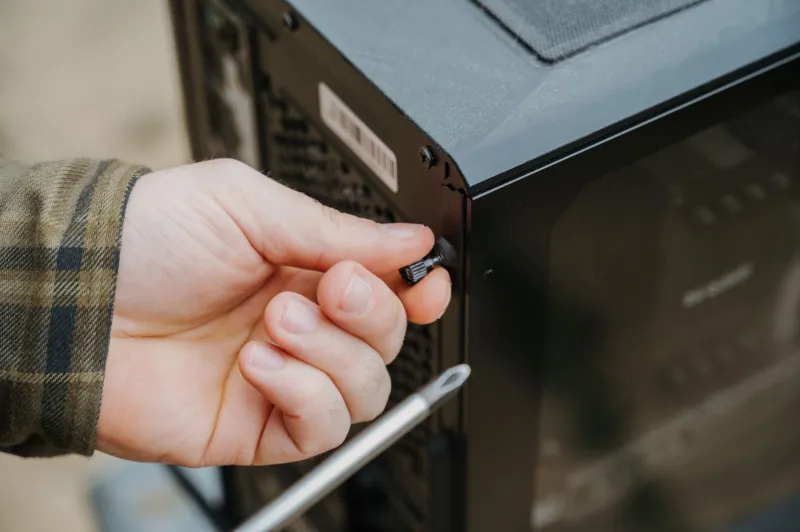
Use short bursts of compressed air, outdoors or in a well-ventilated room, and hold fan blades still with a soft brush or your finger. Keep the case grounded and avoid touching chips and gold contacts. If the machine is overheating, a proper clean and a fresh bit of thermal paste may be the real fix. That is a bench job for most people, not a kitchen-table job.
Myth five: a registry cleaner or tune-up tool is the secret to a fast PC
These programs often promise a lot and deliver very little. The Windows registry is not a cupboard that needs decluttering every month. Modern Windows manages itself reasonably well, and aggressive cleaners can remove entries that something still needs. Some free tune-up tools are little more than adverts with a progress bar, and a few arrive bundled with unwanted extras.
If a PC feels slow, check startup apps, uninstall software you no longer use, make sure updates are installed, and look at storage space. Run a reputable antivirus scan. If you want a clean-up, use the built-in Disk Cleanup or Storage Sense. A repairer can check the drive health and temperatures. That is usually more useful than a tool that promises to optimise everything in one click.
Myth six: a laptop battery needs to be fully drained every month
Old battery advice dies hard. Nickel-based batteries from decades ago did benefit from being run right down now and then. Modern laptops use lithium-ion batteries, and deep discharges put extra stress on them. Draining to zero every month will not make the battery healthier. It may simply shorten its useful life.
If the battery gauge seems inaccurate, a calibration cycle every once in a while may help, but check the manufacturer's guidance first. Day to day, avoid leaving a laptop baking in direct sun or on a soft duvet that blocks its vents. If you mostly use it plugged in at a desk, some laptops have a battery-care mode that limits charging to around 80 per cent. Heat and constant full charge are bigger enemies than a bit of partial charging.
What to do before you spend money
Most repair myths share one flaw: they treat a symptom without finding the cause. A slow PC, a wet laptop or a clicking drive all need a proper look, not a folk remedy from a group chat. In Pembroke and around Pembrokeshire, we would rather you spent ten minutes getting a diagnosis than fifty pounds on a fix that makes things worse.
If you are unsure, stop, unplug and ask. Keep backups. Write down what happened, including any noises, smells or error messages. And if someone recommends the freezer, the rice or a mystery tune-up tool, smile, thank them, and get a second opinion. Your data will thank you.