Heating On, Windows Shut: Why Your PC Sounds Different This November — and How to Clean It Safely
There is a particular November noise in Pembrokeshire homes. The heating clicks on, the windows stay shut, the kettle goes on, and somewhere under the desk the PC starts to sound like it has joined a small orchestra. It is rarely a sign that the machine is about to expire. More often, it is a sign that warm air, household dust and a crowded desk have teamed up to make the fans work harder than they did in September.
The good news is that a noisier PC in early winter is often a maintenance nudge rather than a repair bill. The less good news is that dust cleaning is one of those jobs where enthusiasm can do more harm than good. Here is a calm, practical way to think about the whir — and a safe plan for dealing with it.
Why the heating changes the soundtrack
A desktop or laptop does not really care whether it is July or November. It cares about temperature. When the room warms up, the air inside the case warms up too. The processor and graphics card produce heat, the fans push that heat out, and if the incoming air is already toasty, the fans have to spin faster to achieve the same cooling effect.
Add closed windows, a radiator behind the desk and a layer of dust on the vents, and you have the perfect conditions for a computer that suddenly seems louder. Laptops are especially sensitive. A machine that was quiet on a hard desk in summer can become a hairdryer when it is used on a duvet, a cushion or a lap while the central heating is doing its best.
Dust matters because it is an insulator. It clogs the thin fins of heatsinks and coats fan blades, so air cannot move as freely. The fan spins faster, the noise rises, and the components run warmer than they should. None of that is dramatic on its own, but it is worth addressing before it becomes a summer problem too.
What the noise is actually telling you
Not all PC noises mean the same thing. A steady whoosh that rises and falls with load is usually normal airflow. A low hum can be vibration from a fan or a hard drive. A rattle often means a cable is brushing a fan blade. A grinding or scraping sound is less welcome — that can point to a failing fan bearing or something catching where it should not. A sharp clicking could be a cable, a failing fan or, on some machines, a hard drive on its way out.
Then there is the heat side of the story. If the PC is louder and also slower, if the laptop keyboard feels hot under light use, or if the fan never seems to settle down, that is a prompt to check airflow and dust. If you also see sudden shutdowns, blue screens or graphical glitches, stop treating it as a cleaning job and get advice.
The five-minute check before you fetch a screwdriver
Start with the outside. Unplug the machine, let it cool and look at the vents. Are they blocked by a stack of letters, a cushion, a plastic bag or a curtain? Is the desktop pushed right against a radiator or crammed into a closed cupboard? Is the laptop sitting on a bed rather than a hard surface? Sometimes the fix is simply giving the machine room to breathe.
On a desktop, check that there is a few inches of clear space at the front and back. On a laptop, keep the vents clear and use it on a table or a lap tray rather than soft furnishings. If the room is very dusty, or you have pets, expect more frequent attention. None of this requires opening the case.
A safe dust-cleaning plan for a Pembrokeshire desk
If the vents look furry, it is time to clean — carefully. Work outside if you can, or in a shed or garage with the door open. Dust goes everywhere, and you do not want it settling on the kitchen worktop.
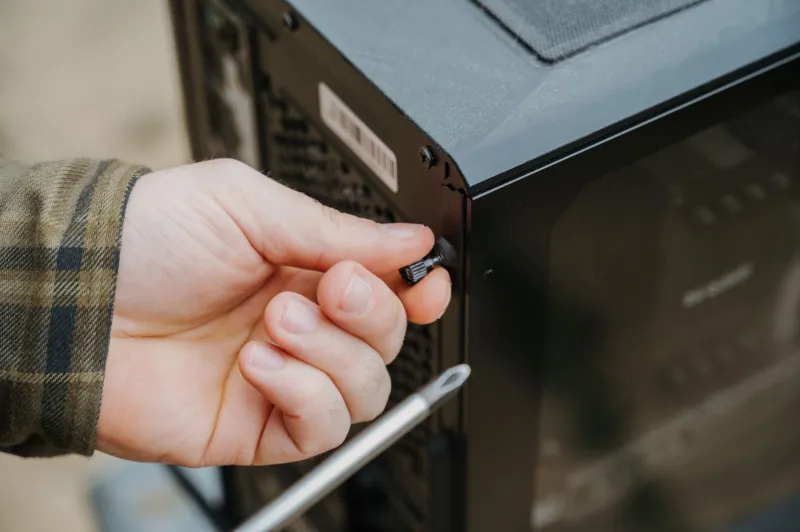
Unplug the PC and hold the power button for a few seconds to discharge residual power. For a desktop, you can usually remove the side panel without drama. Use short bursts of compressed air, keeping the can upright so it does not spit liquid. Hold each fan blade still with a plastic cocktail stick or a soft clip while you blow — letting it spin freely can damage the bearing. Keep the nozzle a sensible distance away and do not blast one spot for ages.
A soft brush and a lint-free cloth will deal with looser dust. If you use isopropyl alcohol, put a little on the cloth, never spray it into the machine, and keep it away from plastics that might discolour. Avoid using a domestic vacuum cleaner inside the case unless you have an anti-static attachment; the nozzle can generate static and dislodge small components. Never poke around inside a power supply unit. Those capacitors can hold a dangerous charge even when the PC is unplugged.
Let everything dry before reassembling, then start up and listen. A modest drop in noise is a good sign. If nothing changes, or the noise is mechanical rather than airy, stop there.
Laptops are a different beast
Laptop cleaning is fiddly. Many models need the bottom panel removed, and some have hidden clips that snap if you rush. If the machine is under warranty, or if it is a sealed design, leave it alone. You can still clean the exterior vents with short bursts of air and keep the machine on a hard surface. If the fan is loud under light load after that, it may need internal cleaning or fresh thermal paste — a job for someone with the right tools and a steady hand.
When to stop and book a local repair
Put the screwdriver down if you hear grinding, scraping or repeated clicking. Stop if you smell burning, see scorch marks, or the PC shuts down unexpectedly. Do not open a power supply, a water-cooling loop or an all-in-one computer unless you genuinely know what you are doing. And if you are simply not comfortable, that is a perfectly good reason to ask for help.
A local repairer can clean and check fans, replace a noisy bearing, test temperatures and tell you whether the noise is cosmetic or a warning. In Pembroke and the wider Pembrokeshire area, that is often quicker and less stressful than ordering a mystery fan from a marketplace and hoping it fits.
The winter whir is usually a reminder, not a disaster. Give the machine some airflow, clean the dust safely, and listen again. If it still sounds unhappy, get it looked at before the January sales tempt you into a replacement you did not need.