The Three-Copy Safety Net: A Pembrokeshire Backup Plan for Family Photos, School Letters and Work Files
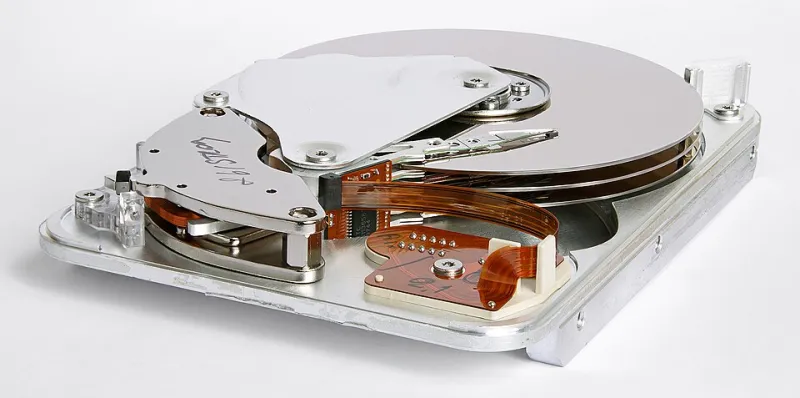
Photo: Eric Gaba (Sting - fr:Sting) This image was created with CombineZP by 11 ( It was created out of 11 single images.)., CC BY-SA 3.0, via Wikimedia Commons
Most of us in Pembrokeshire have a digital shoebox somewhere: a laptop in the spare room, an external drive behind the telly, and a phone full of photos from a walk at Barafundle. It works fine — until it doesn't. A hard drive that has quietly spun for eight years can fail without drama, and if that drive holds the only copies of family photos, school letters and business records, the loss is much bigger than the cost of a new drive.
Here's the reassuring part: you don't need an IT department or an expensive subscription to build a backup that works. You need three copies, a little routine, and a clear idea of what not to trust.
Why 'It's All on My Phone' Is Not a Backup
Phones are brilliant at taking photos and terrible at being archives. If your only copy of a photo lives on your phone, a cracked screen, a lost handset or a failed update can take it out. Syncing to iCloud or Google Photos helps, but it is not a magic safety net. If you delete a photo on the phone and the deletion syncs, the cloud copy can go too. And a half-finished OneDrive folder on a laptop is not a backup either — it is a sync folder. If you move, rename or delete a file in the wrong place, the change can follow you to the cloud.
A backup is a separate copy you can go back to when the original is gone, corrupted or locked by ransomware. That distinction matters.
The Three-Copy Rule in Plain English
The old IT rule is 'three copies, two types of storage, one off-site'. For a Pembrokeshire household, that translates to:
- The working copy — the files on your PC or laptop, where you use them.
- A local copy — a cheap external hard drive plugged in at home, ideally kept in a different room from the computer.
- An off-site copy — free cloud storage, or a second drive kept at a relative's house.
Two copies on the same desk are not enough. If a power surge, a burst pipe or a burglary takes out the desk, it takes out both.
What You Already Own (Probably)
You do not need to buy much. A 1TB external desktop drive costs roughly £45–£70 in 2026; a 2TB portable drive is often £65–£90. That is enough for years of photos, documents and a reasonable music collection. If you already have a spare drive in a drawer, check it works before trusting it.
For the off-site copy, free tiers are genuinely useful. Google Drive gives 15GB free, Microsoft OneDrive gives 5GB, and Dropbox gives 2GB. That will not hold a lifetime of RAW photos, but it is fine for school letters, spreadsheets, password backups and the best family photos. For more space, paid cloud storage is typically £1.50–£2.50 per month for 100GB, or around £60–£80 a year for 1TB–2TB across the main providers.
If you have a phone full of photos, use the phone's own cloud backup, but also export the important albums to your computer and include them in your external drive copy. Do not let the phone be the only place those memories exist.
A Simple Monthly Routine
Pick one day a month — the first Saturday, say — and spend fifteen minutes on this.
- Plug in the external drive.
- Copy new photos, documents and any work files across.
- Eject the drive safely, then unplug it.
- Check that the cloud folder has finished syncing.
- Open two or three random files from the backup to make sure they actually open.
A backup you never test is a hope, not a plan. Once a year, restore a folder from the backup to a temporary folder and check it.
Before a Storm or Power Cut
Pembrokeshire weather can be dramatic, and power cuts are not rare in rural spots. Before a named storm arrives:
- Shut the PC down properly rather than leaving it in sleep mode.
- Unplug the external drive once the backup has finished — a surge can travel through the USB cable.
- Make sure the cloud backup has caught up before the broadband goes down.
- If you use a surge-protected extension lead, check it is actually switched on and not worn out.
If the power does go out, do not switch the PC straight back on and start copying files during a brownout. Wait until the supply is stable. If an external drive was writing when the power failed, run a check on it before trusting it again.
The Plain-English Checklist
- I know where my important files live.
- I have one external drive with a recent copy.
- I have one off-site copy in the cloud or at another address.
- My phone photos are copied to at least one other place.
- I have tested that a file opens from the backup.
- My external drive is unplugged when not in use.
- I have a note of what to grab if I ever have to leave quickly.
When to Get Help (and What It Costs)
Some people would rather have it set up properly, and that is fine. A local tech helper can usually do a backup audit for around £35–£50, set up an external drive and cloud folder for £45–£75, or supply and configure a drive for £95–£150 including the hardware. If a drive is already clicking, grinding or not appearing at all, stop using it and get advice before you try to copy anything — a failing drive can lose more data when it is pushed.
At Pembroke PC Doctor, the aim is not to sell you a complicated system. It is to get one working copy off the desk, one in the cloud and one somewhere else — then make the routine simple enough that you actually keep doing it.
A dead hard drive is annoying. A dead hard drive with no backup is a family history problem. Fifteen minutes a month is a small price for a much quieter mind.